Free while we launch
Systematic reviews, from search results to PRISMA.
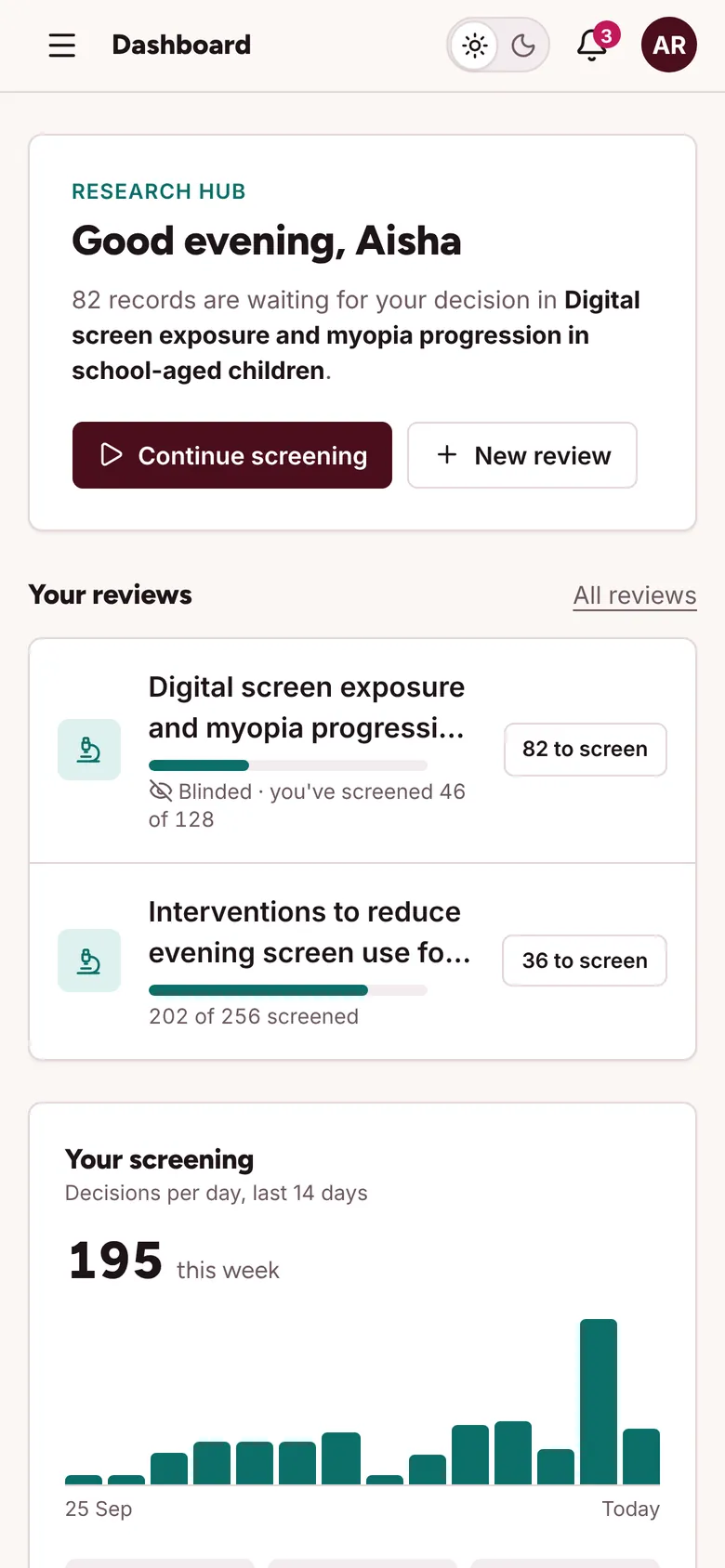
Import your searches, screen them blind with your team, settle conflicts, extract data and assess risk of bias, all in one workspace built for medical students and researchers. Preparing for NEET-UG? The question bank lives in the same account.
No card, and no limits on reviews, records or reviewers.
- Import
- RIS, BibTeX, PubMed, EndNote and CSV
- Screen
- 19 filters and your own shortcuts
- Agree
- Cohen's kappa for every pair
- Assess
- RoB 2, ROBINS-I, Newcastle–Ottawa
- Report
- PRISMA 2020 as SVG, PNG or PDF
Every stage of a review, in the order you do them.
-
01
Import
Upload exports from PubMed, Embase, Scopus or Web of Science, or search PubMed from inside the review. Each file is counted per database.
-
02
Remove duplicates
Matches on DOI, PMID, or title, year and first author, with a confidence score. Merge above your threshold; check the rest side by side.
-
03
Screen, blinded
Two or more reviewers per record. Nobody sees anyone else's votes until the owner turns blinding off.
-
04
Resolve conflicts
Disagreements go to the owner or a third reviewer. Every decision is in the audit log.
-
05
Extract and assess
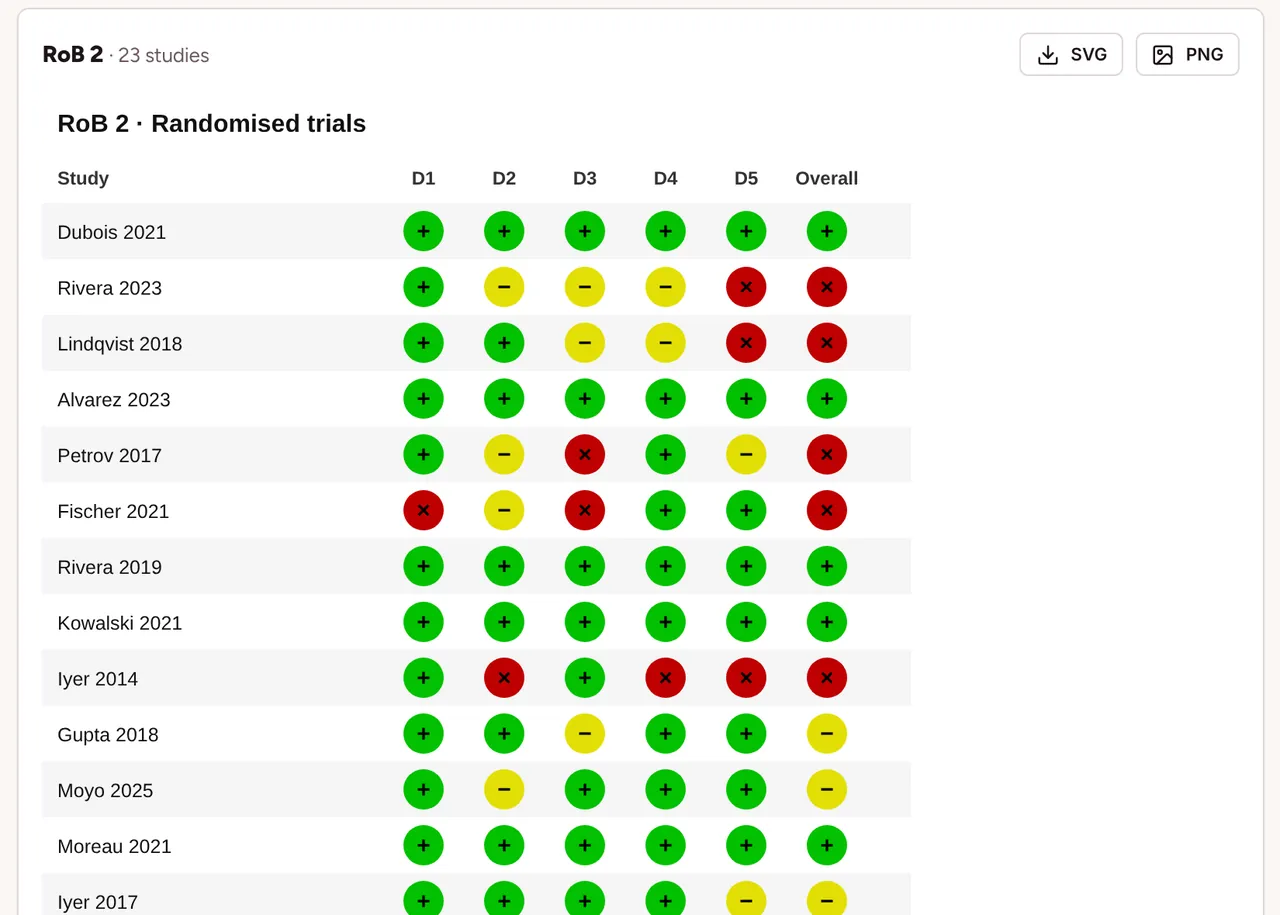
A shared extraction form for each included study, and risk of bias with a traffic-light plot.
-
06
Report
A PRISMA 2020 diagram filled from your counts, kappa for your methods section, and exports to CSV, RIS and Excel.
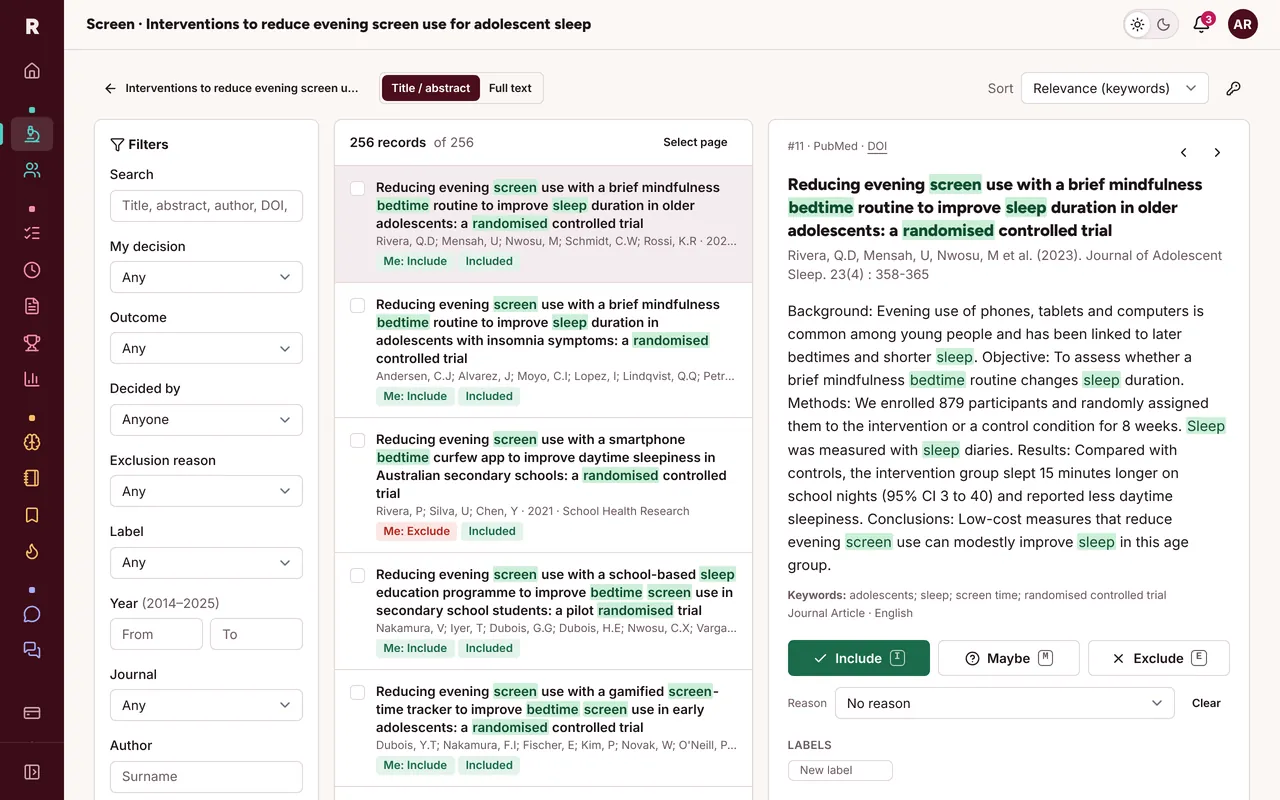
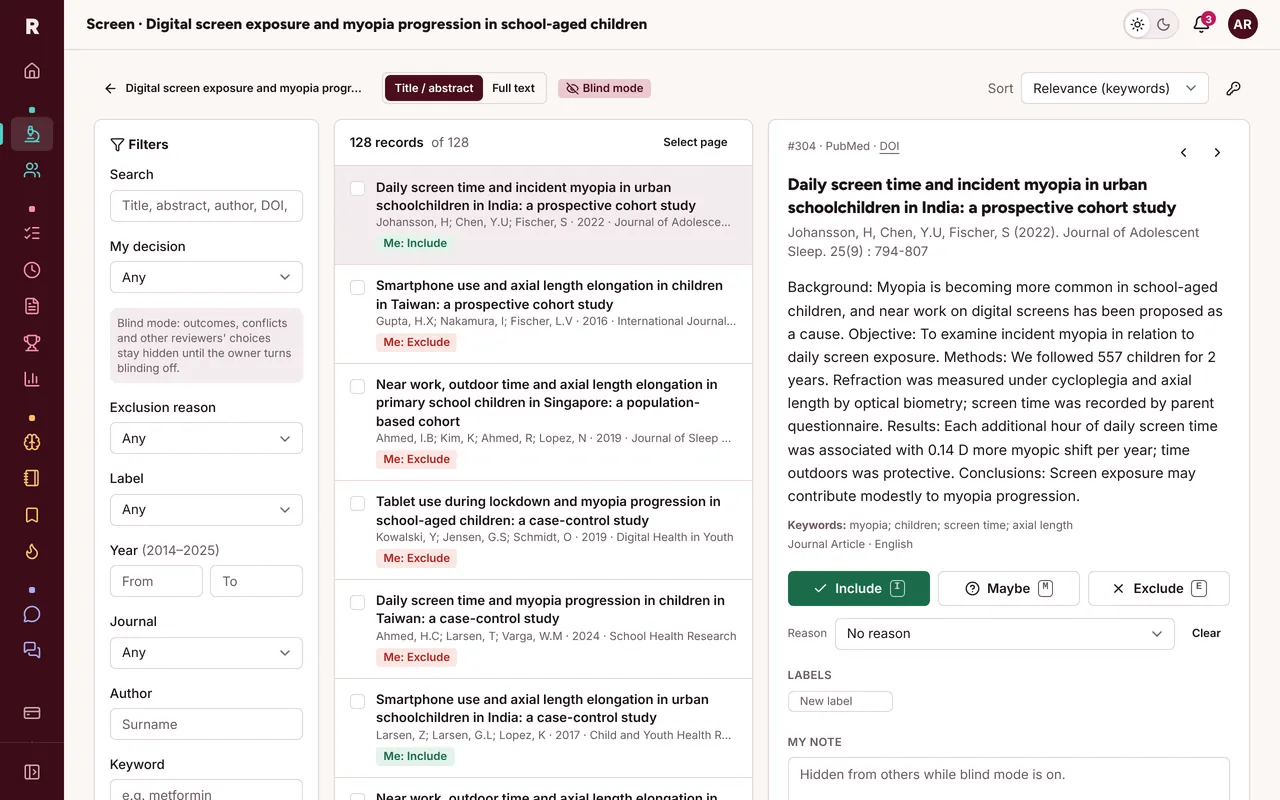
Blinded screening
Blinding that actually holds.
While blind mode is on, nobody sees anyone else's decisions, notes or labels, not even the owner. It's enforced on the server, so it also holds in exports and in the PRISMA counts.
- Include, exclude or maybe, with exclusion reasons, labels and notes
- Inclusion terms highlighted in green, exclusion terms in red
- Keyboard shortcuts you set yourself: I, E, M, J and K by default
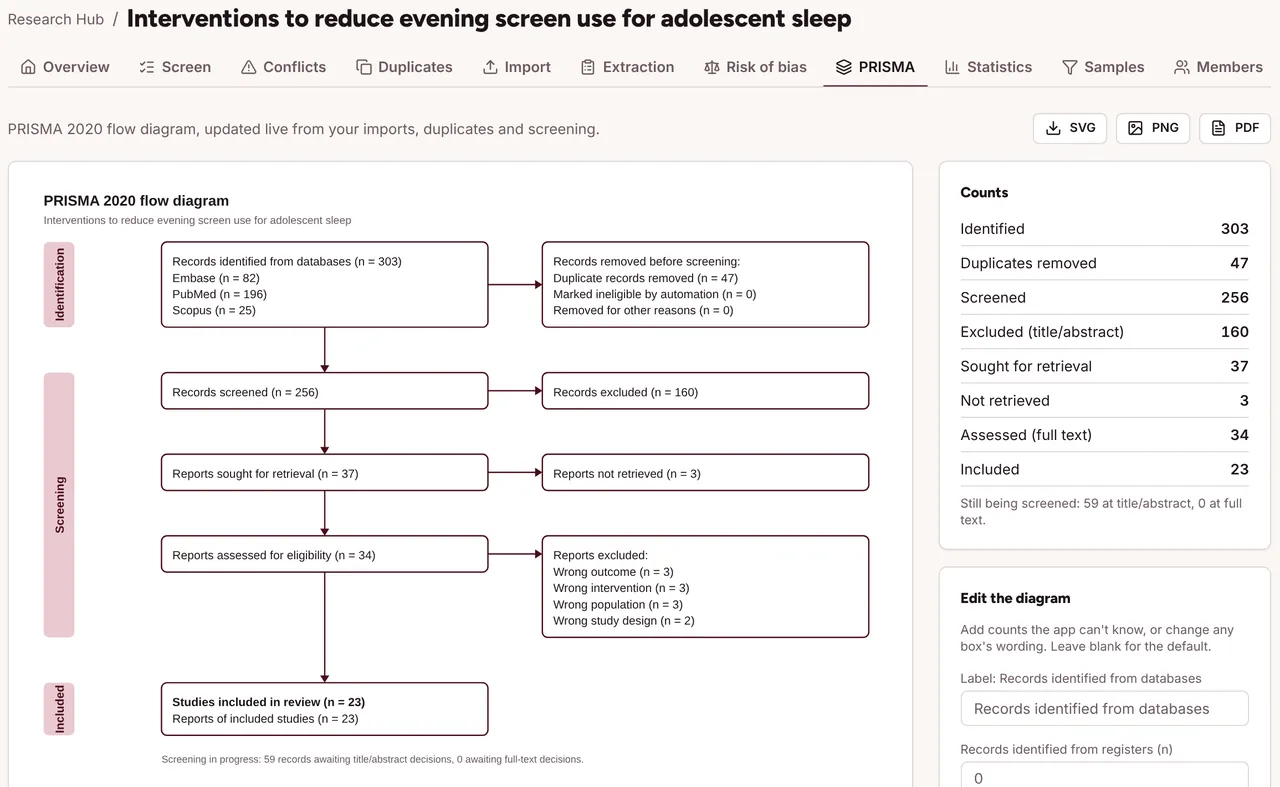
PRISMA 2020
The flow diagram fills itself in.
Counts come straight from your imports, duplicate checks and screening. Reword any box, add the numbers the app can't know, and download SVG for your manuscript or PNG and PDF for slides.
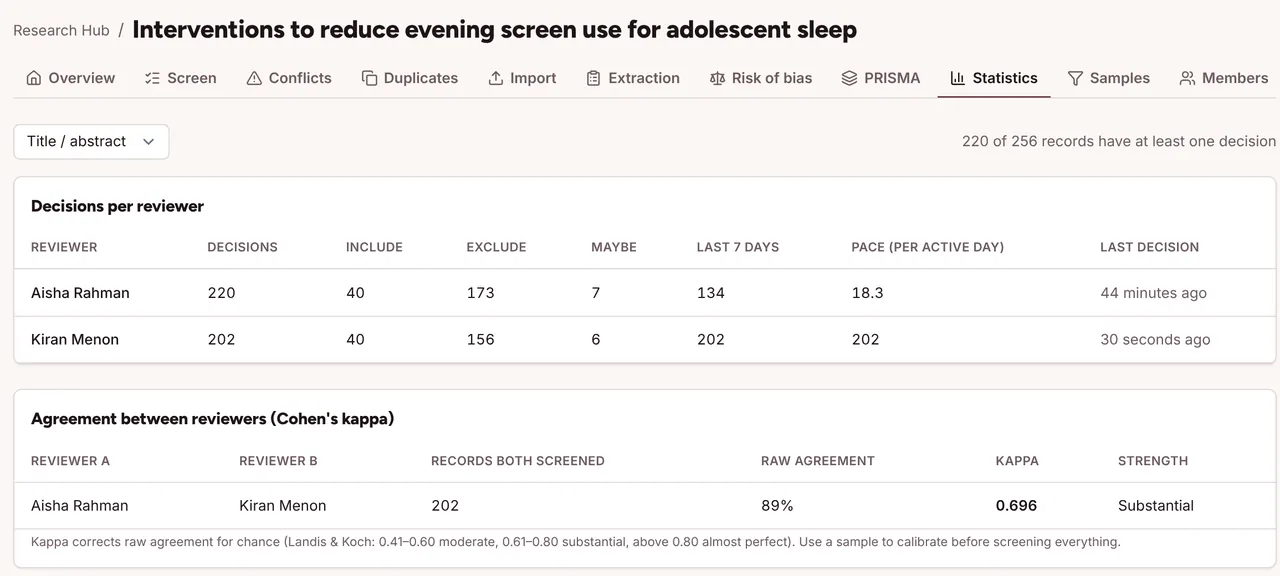
Agreement
Kappa, ready for your methods section.
Cohen's kappa for every pair of reviewers, with raw agreement and the Landis and Koch label, plus each reviewer's decisions and pace. Use random samples to calibrate before you screen everything.
Extraction and risk of bias
From included studies to evidence tables.
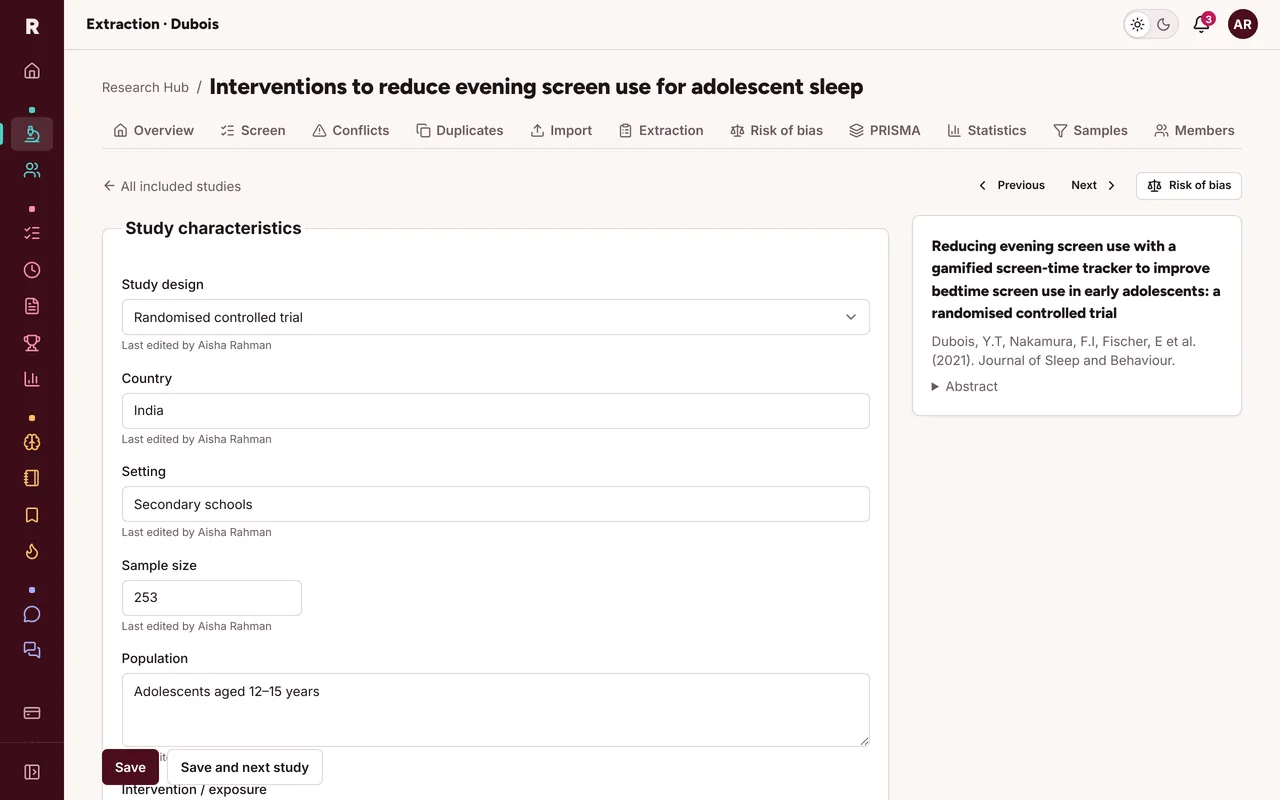
Start from a template (design, country, sample size, PICO, effect size, follow-up) and add your own typed fields. Assess each study with RoB 2, ROBINS-I or Newcastle–Ottawa, and export the traffic-light plot and tables.
Everything in the Research HubNEET-UG
Exam prep that tells you what to study next.
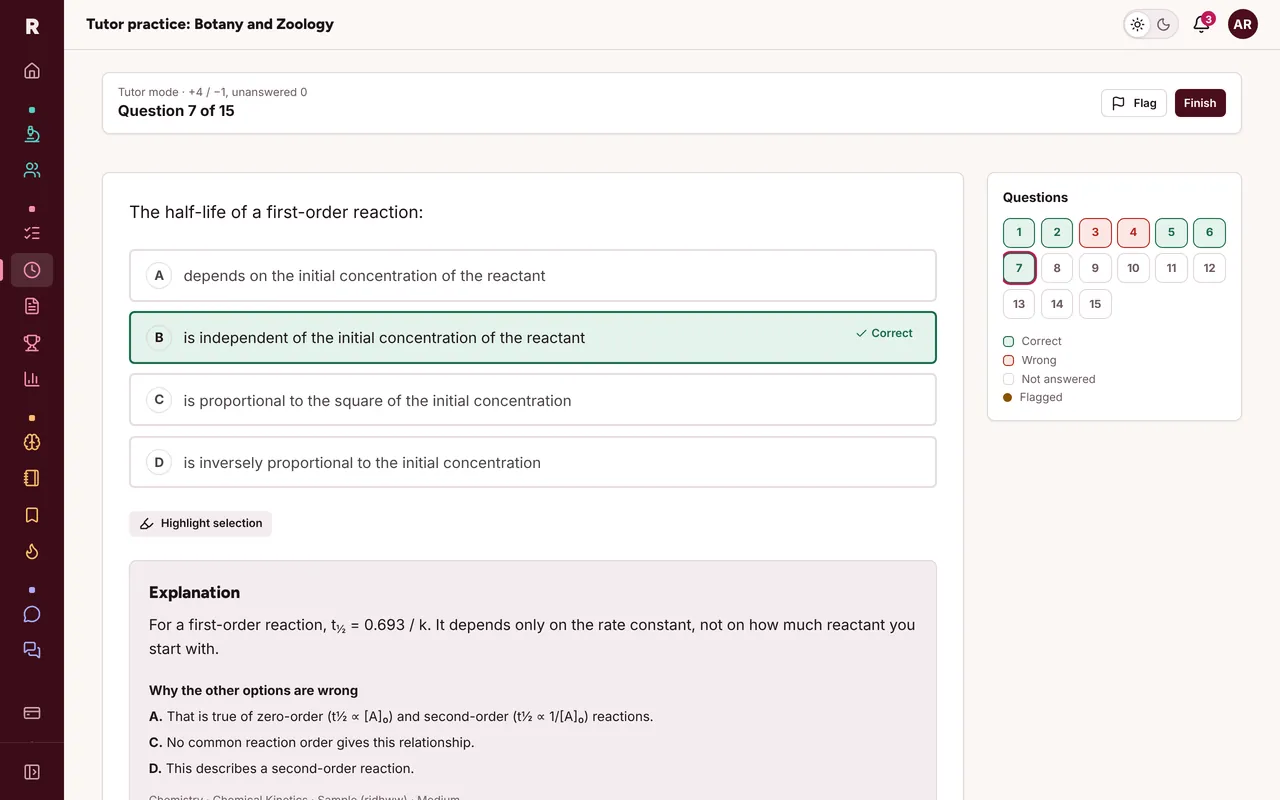
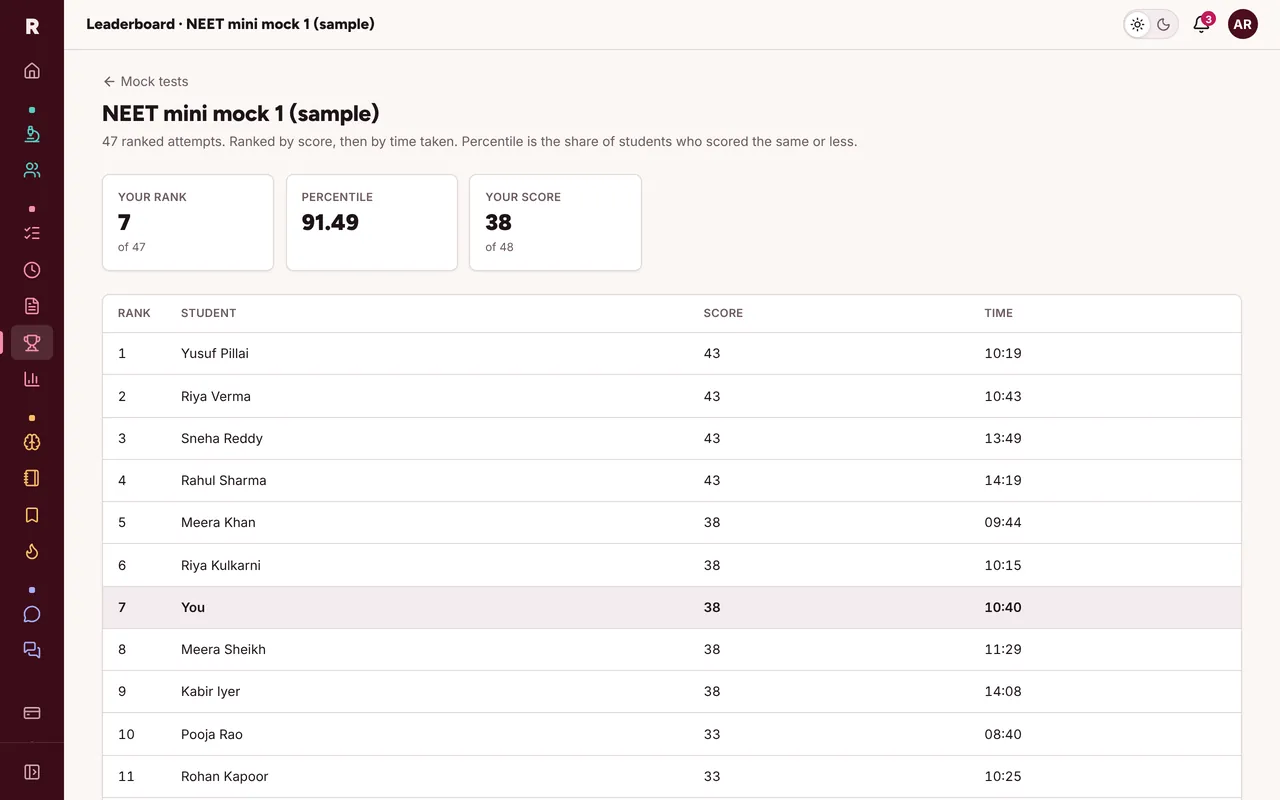
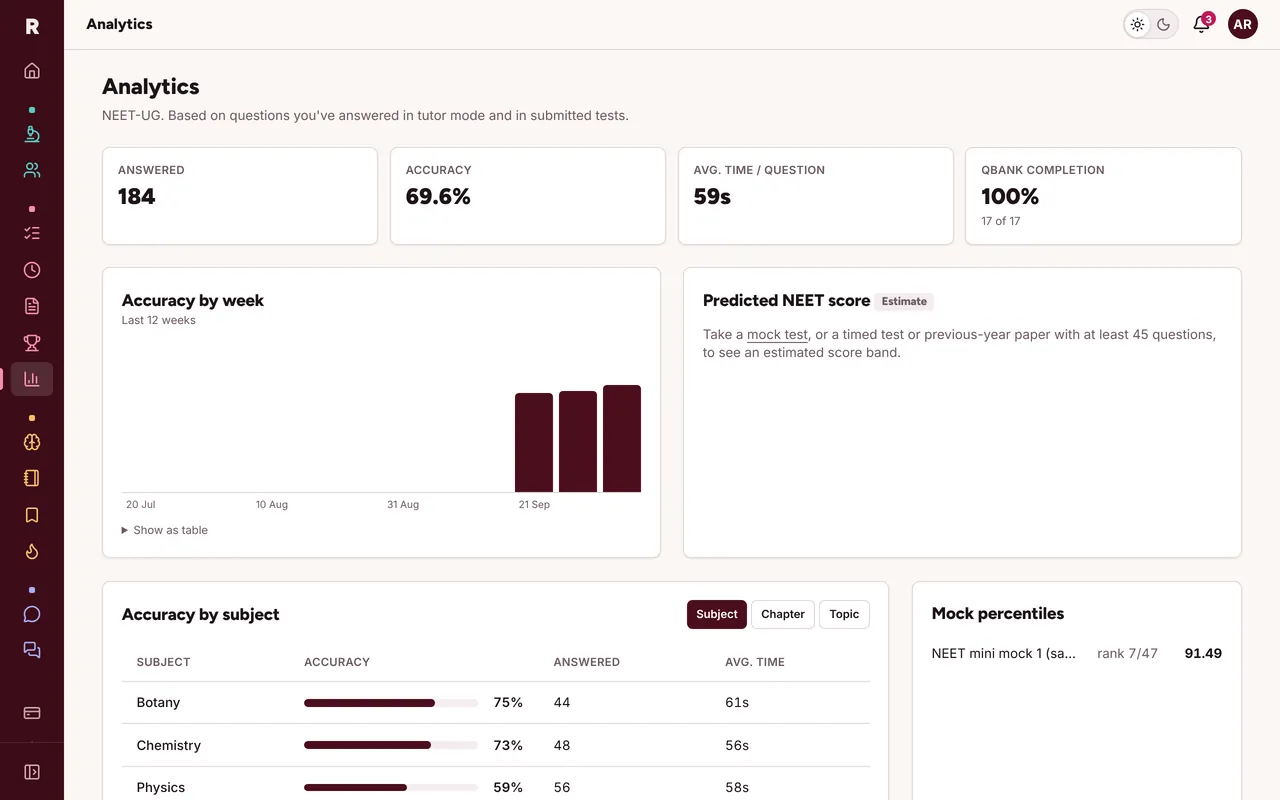
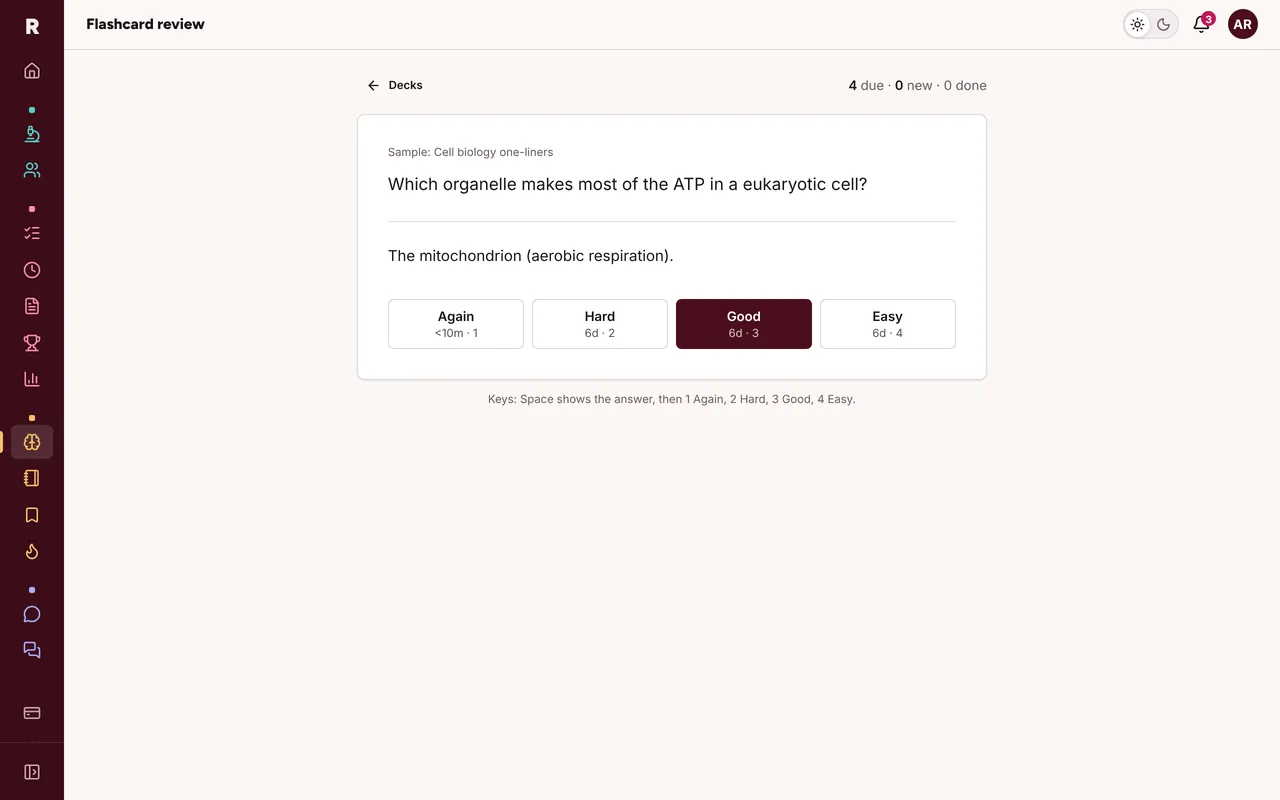
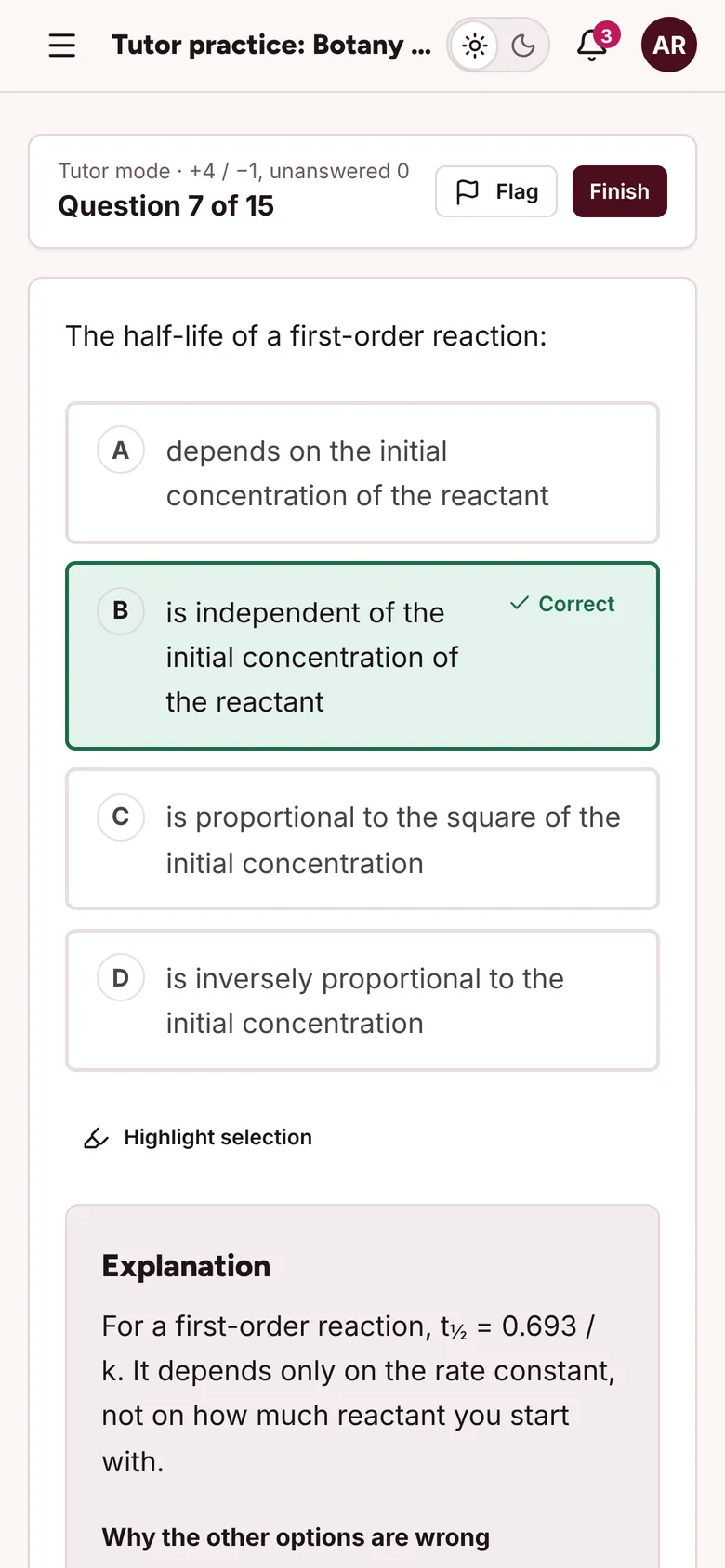
A question bank in tutor and timed modes, previous-year papers, full mocks with rank and percentile, and analytics that find your weak topics. Flashcards and chapter notes sit alongside.
Community
Ask, answer, and keep going on your phone.
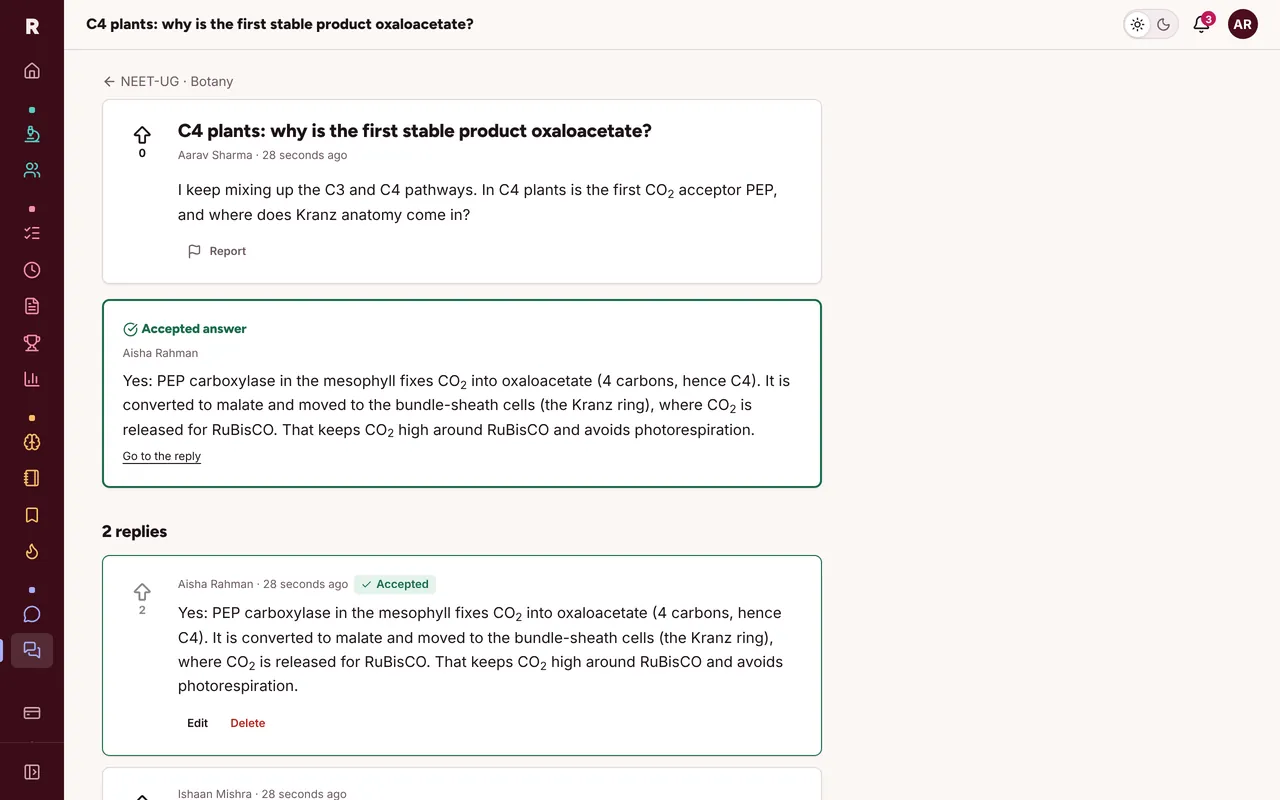
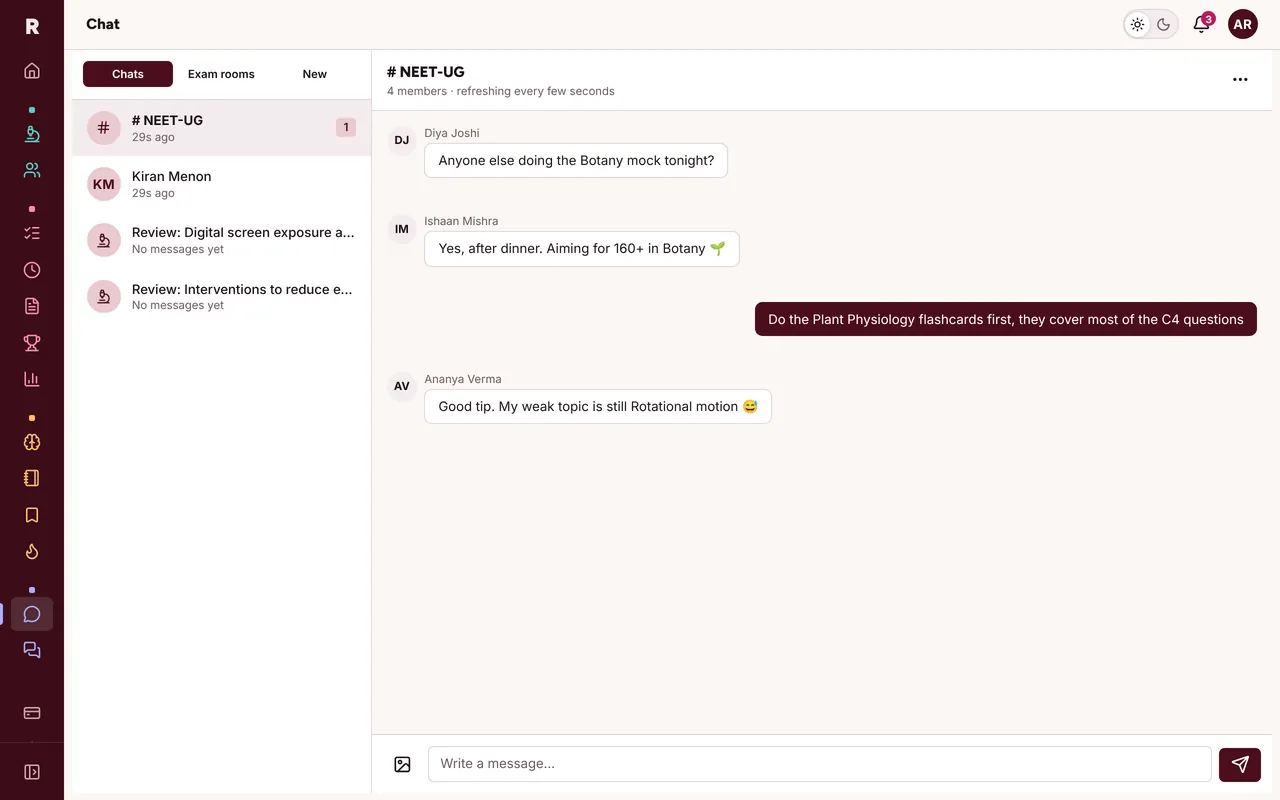
A forum for each subject, and one for research methods, where the asker or a moderator marks the accepted answer and educators carry a badge. Live chat has exam rooms, direct messages, study groups and a channel for every review.
Everything is free while we launch.
Every feature, for everyone. Paid plans for exam prep will come later, and we'll tell you well before anything changes.